
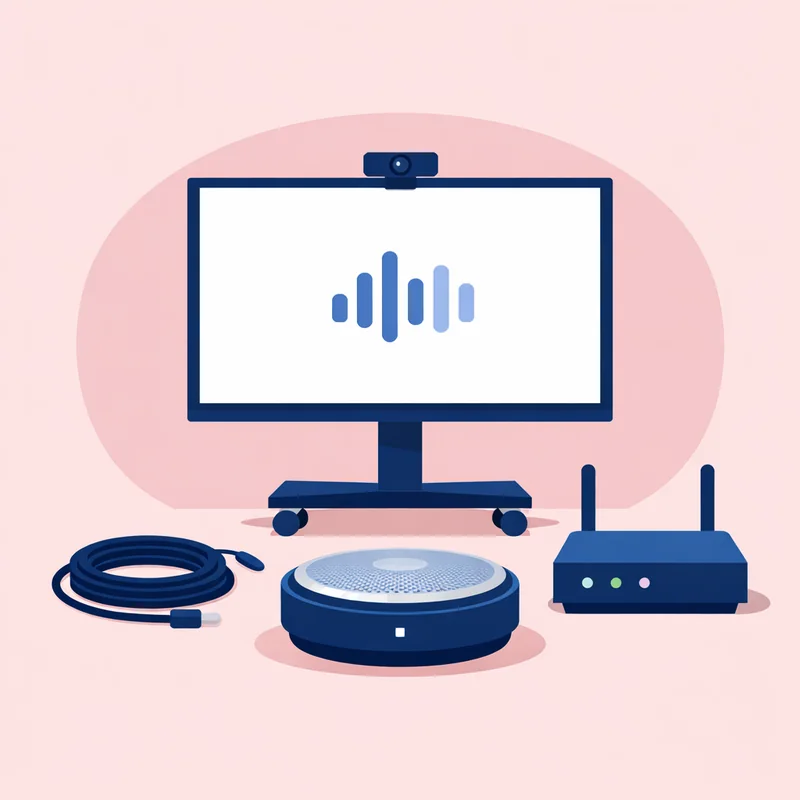
Implementing video remote interpretation (VRI) doesn't require a massive IT infrastructure project. With the right equipment, a reliable internet connection, and basic staff training, most offices and facilities can be up and running with VRI in days, not months. This step-by-step guide walks you through everything from choosing equipment to training your team.
Step 1: Assess Your Needs
Before purchasing equipment or signing a VRI contract, answer these questions:
Volume
- How many LEP encounters do you have per day, week, or month?
- Which departments or staff members have the most LEP interactions?
- How long is a typical encounter?
Languages
- What are the top 5-10 languages you encounter?
- Do you encounter rare languages that require specialized interpreter access?
- Do you need ASL (American Sign Language) interpretation?
Physical Space
- Where do LEP encounters happen? (Exam rooms, offices, conference rooms, waiting areas, field locations)
- How many locations need VRI capability?
- Is there Wi-Fi coverage in all areas where VRI will be used?
Budget
- What is your annual language access budget?
- Can you allocate capital expenditure for VRI equipment?
- Are you replacing an existing service (in-person interpreters, phone-only OPI) or adding a new service?
Compliance
- What regulations apply to your industry? (Title VI, ADA, Section 1557, Joint Commission, state laws)
- Do you need HIPAA-compliant VRI?
- Is there a specific standard your accreditor requires?
Step 2: Choose Your Equipment
Option 1: Tablets (Most Popular)
Tablets are the most common VRI device because they're affordable, portable, and easy to use.
Recommended tablets: iPad (10th generation or later) — Most VRI apps are optimized for iOS, iPad Air — Better camera and processor for smoother video, and Samsung Galaxy Tab — Android alternative with good camera and audio
Accessories: Adjustable tablet stand (floor stand or desk clamp) — $30-$100, External Bluetooth speaker — $20-$50 (for louder, clearer audio in noisy rooms), Protective case — $15-$40 (a drop can be expensive), and Charging cable and power adapter — Keep spares available
Total cost per setup: $400-$800 (tablet + accessories)
Option 2: Dedicated VRI Carts
For high-volume settings (hospitals, large clinics, government offices), dedicated VRI carts offer a premium experience.
Features: Large screen (15-22 inches), Built-in high-quality speakers and microphone, Medical-grade materials (wipeable, disinfectable), Wheels for easy transport, Long-lasting battery (8-12+ hours), and Locking mechanism for security
Cost: $3,000-$8,000 per cart
Best for: Emergency departments, inpatient units, high-traffic clinics, facilities with strict infection control requirements.
Option 3: Desktop/Laptop Computers
If your encounters happen at a desk or workstation, your existing computer can serve as a VRI device.
Requirements: Webcam (external if the built-in camera is poor quality), Microphone (headset or desk microphone for better audio), Speakers or headphones, and Browser-based VRI access or installable app
Additional cost: $50-$150 for webcam and headset
Best for: Law offices, insurance agencies, HR departments, social services offices, call centers.
Option 4: Mobile Phones
Smartphones can run VRI apps, making them suitable for field use.
Use cases: Home health visits, Social worker home visits, Field encounters (law enforcement, inspectors), and Emergency situations where no other device is available
Limitations: Small screen size limits visual communication quality, Battery drain from video calls, and Audio quality may be insufficient in noisy environments
Step 3: Prepare Your Internet Connection
VRI requires reliable internet. Poor connectivity is the number one cause of VRI failure.
Bandwidth Requirements
- Per VRI session: 1.5-3 Mbps (upload and download)
- Multiple simultaneous sessions: Multiply by the number of concurrent VRI users
Example: A clinic with 10 exam rooms where 3-4 VRI sessions might run simultaneously needs at least 6-12 Mbps dedicated to VRI traffic.
Wi-Fi vs. Wired
Wi-Fi — Most common for VRI devices (especially tablets and carts). Ensure: Coverage in every room where VRI will be used, No dead spots (conduct a Wi-Fi site survey if unsure), 5 GHz band preferred (less congestion than 2.4 GHz), and Dedicated SSID for VRI devices (optional but reduces congestion)
Wired Ethernet — Most reliable option for stationary VRI setups (desktop computers, permanent VRI stations). Eliminates Wi-Fi variability.
Quality of Service (QoS)
Configure your network router/switch to prioritize VRI traffic over other applications. Video calls are sensitive to network congestion — if someone is streaming a training video or downloading a large file, VRI quality drops.
Ask your IT team to: Set QoS rules prioritizing the VRI platform's traffic, Monitor bandwidth utilization during peak hours, and Consider a separate VLAN or network segment for VRI devices
Backup Connectivity
What happens when your internet goes down?
OPI backup — Have over-the-phone interpretation available as a fallback. No internet required.
Cellular hotspot — A mobile hotspot can provide temporary internet for critical VRI sessions.
Redundant internet — Large facilities should consider a secondary ISP for critical systems including VRI.
Step 4: Choose a VRI Provider
What to Look For
Language coverage — Does the provider offer all the languages you need? Not just the top 10, but also less common languages your community speaks.
Connection speed — What is the average time to connect to an interpreter? Industry standard is under 60 seconds. Test with multiple languages before committing.
Interpreter quality — Are interpreters trained, tested, and monitored? Do they have industry-specific training (medical, legal, social services)?
Platform usability — Is the app easy to use? Can a non-technical staff member connect to an interpreter in under 30 seconds? Try the platform yourself.
HIPAA compliance — If you're in healthcare, the platform must be HIPAA-compliant with a signed BAA.
Reporting — Does the provider offer usage reports by department, language, and duration? This data is essential for budgeting and compliance documentation.
Pricing model — Per-minute, monthly subscription, or per-session? Calculate the total cost based on your expected usage pattern.
Contract flexibility — Can you cancel or adjust without massive penalties? Avoid long lock-in contracts until you've proven the service works for your organization.
Technical support — Is support available 24/7? What is the escalation path for technical issues?
Step 5: Train Your Staff
Training is the make-or-break factor for VRI adoption. Even the best technology fails if staff don't know how to use it or don't want to use it.
Initial Training
Cover these essentials for all staff who will use VRI:
- How to access the VRI platform — Opening the app, logging in, selecting a language
- Equipment operation — Turning on the device, positioning it, adjusting volume
- Connecting to an interpreter — Step-by-step walkthrough
- Interpretation etiquette — Speaking to the patient/client (not the interpreter), using short sentences, pausing for interpretation
- Positioning the device — The interpreter should be able to see the patient/client clearly; the patient/client should be able to see the interpreter
- When to use VRI vs. OPI — Quick decision guidelines
- Troubleshooting — What to do if the video freezes, audio drops, or the connection fails
- Documentation — How to record VRI usage in your systems
Ongoing Reinforcement
Monthly reminders — Email tips, post reminders near VRI devices
New employee orientation — Include VRI training in onboarding
Department champions — Designate one enthusiastic staff member per department to support peers
Quarterly check-ins — Review usage data with staff and address barriers to adoption
Common Staff Resistance and Solutions
| Resistance | Solution |
|---|---|
| "It takes too long" | Show that VRI connects in 30-60 seconds |
| "I'll just use a family member to interpret" | Explain legal and ethical risks; emphasize it's against policy |
| "I don't know how to use it" | Hands-on training; make the process one-touch simple |
| "The patient doesn't want it" | Explain to the patient (through the interpreter) how it works |
| "I forgot the number/login" | Post access information prominently on/near every device |
Step 6: Launch and Monitor
Soft Launch
Start with 1-2 departments or locations. Monitor closely:
- Are staff using VRI?
- How quickly do they connect?
- What technical issues arise?
- Are patients/clients comfortable with the technology?
- What feedback do staff give about the experience?
Gather Data
Track usage metrics from day one:
Number of VRI sessions per day/week, Languages used, Average session duration, Department or location usage, Technical failure rate, and Staff and patient/client satisfaction
Iterate
Based on your soft launch data:
Fix technical issues (Wi-Fi dead spots, equipment placement, login problems), Retrain departments with low usage, Add equipment in high-demand areas, and Adjust OPI vs. VRI guidelines based on what staff find effective
Full Rollout
Once the soft launch proves successful, expand to all departments and locations. Use lessons learned to make the full rollout smoother.
Link Translations VRI Implementation Support
Link Translations provides video remote interpretation services with full implementation support:
- Platform access for tablets, desktops, and mobile devices
- 200+ languages on demand
- Under 60-second connection time
- HIPAA-compliant platform with BAA
- Staff training materials and support
- Technical implementation guidance
- Usage reporting and analytics
- Get started with a free consultation